
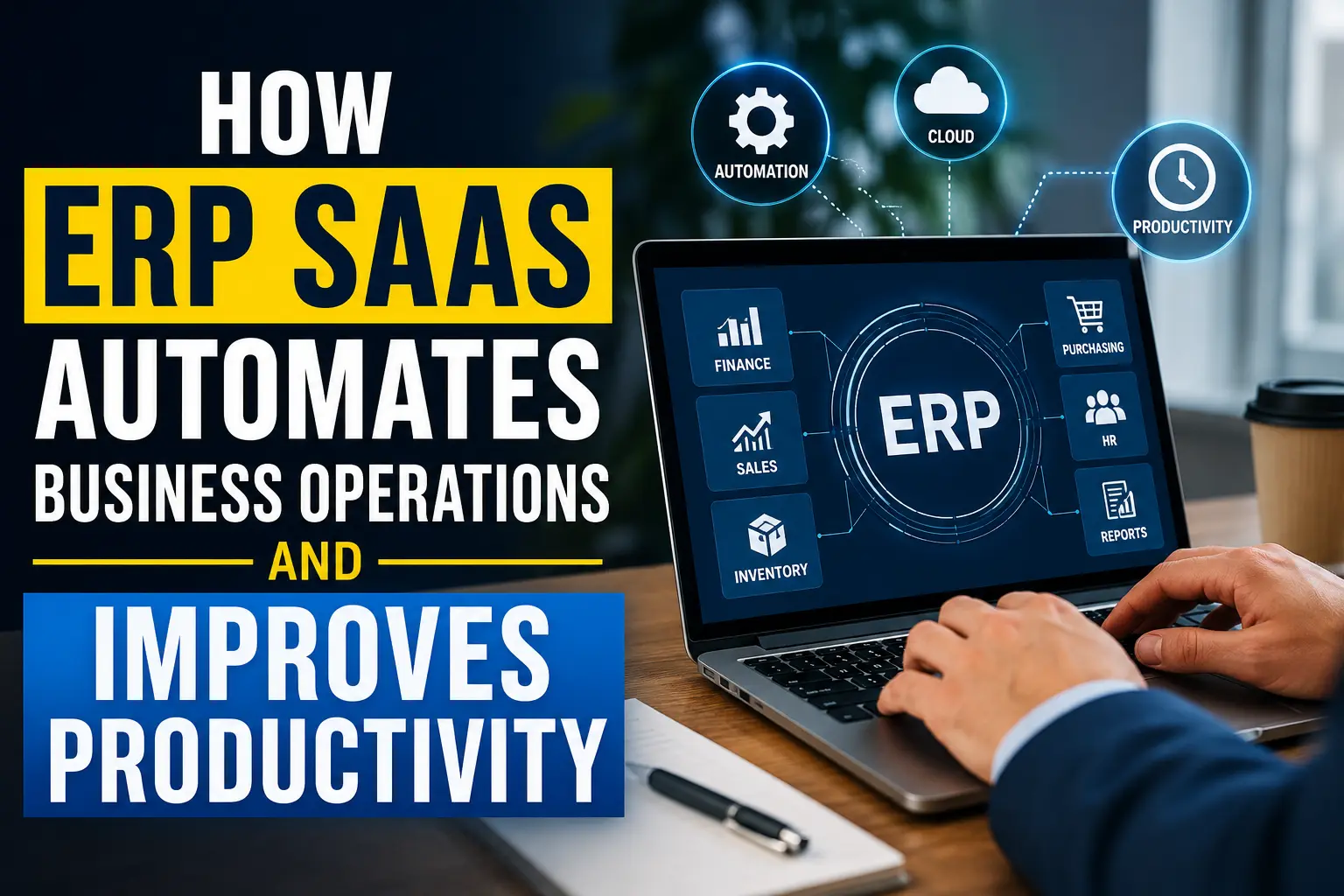
How ERP SaaS Automates Business Operations and Improves Productivity
Running a business shouldn’t feel like playing spreadsheet Jenga. Yet plenty of teams still jump between accounting software, CRM tools, inventory sheets, emails, shared drives, and a suspicious number of browser tabs just to complete one simple task.
ERP SaaS can change that.
A cloud-based ERP system connects important business processes in one place and automates repetitive work across finance, sales, inventory, purchasing, human resources, and operations. Instead of making employees chase information, the system moves information where it needs to go.
I’ve always found the biggest ERP advantage less glamorous than the sales pitch suggests: good automation removes tiny daily frustrations that quietly consume hours every week. One automated approval here, one synchronized customer record there, and suddenly your team spends more time making decisions and less time copying data around.
So, how exactly does ERP SaaS automate business operations and improve productivity? Let’s break it down without turning this into a 40-page software manual. 🙂
What Is ERP SaaS?
ERP stands for Enterprise Resource Planning. An ERP system brings different business functions together so they can share data and workflows.
Traditional ERP systems often require companies to install software on local servers, maintain infrastructure, manage updates, and handle complicated IT processes. ERP SaaS, or Software as a Service ERP, moves the system to the cloud.
Instead of purchasing and maintaining the entire technical infrastructure yourself, you access the ERP through the internet and typically pay through a subscription model.
An ERP SaaS platform can connect areas such as:
- Accounting and financial management
- Customer relationship management
- Sales and order management
- Inventory management
- Procurement and purchasing
- Human resources
- Project management
- Supply chain management
- Reporting and business intelligence
- Workflow automation
Why does this matter?
Because businesses rarely operate in neat little departments. A customer order can affect inventory, accounting, purchasing, shipping, and customer service within minutes.
If each department stores information separately, employees must manually move that information between systems.
That creates delays, duplicate records, mistakes, and plenty of “Who has the latest spreadsheet?” conversations.
ERP SaaS connects those processes so the business can operate more like one system.
How ERP SaaS Automates Business Operations
The real productivity gains appear when ERP software starts handling repetitive processes automatically.
Think about a typical sales order.
A salesperson receives an order and enters customer information into the CRM. Someone from operations checks inventory. Another employee confirms pricing. Accounting prepares the invoice. The warehouse receives the fulfillment request.
That process can involve several people and several systems.
With ERP SaaS, the workflow can happen automatically.
Automated Data Entry
Manual data entry sounds harmless until you calculate how much time employees spend doing it.
Imagine an employee enters the same customer information into three different systems. Multiply that by hundreds or thousands of transactions.
Suddenly, your business has a productivity problem.
ERP SaaS creates a shared data environment, allowing different departments to work with the same core information.
For example, when a sales representative creates an order, the system can automatically update:
- Customer records
- Inventory quantities
- Order status
- Accounts receivable
- Sales reports
- Fulfillment information
The employee enters the information once.
The ERP handles the rest.
FYI, that simple change can eliminate a surprising amount of administrative work.
Automated Invoice Generation
Billing often involves repetitive steps that don’t require much human creativity.
A company receives an order, confirms the transaction, calculates taxes or discounts, generates an invoice, and sends it to the customer.
ERP SaaS can automate much of this workflow.
Once the system confirms an eligible transaction, it can generate an invoice using predefined rules. The system can also update the accounting records automatically.
That means finance teams can spend less time preparing routine invoices and more time managing cash flow, analyzing financial performance, and solving actual problems.
Automated Approval Workflows
Approval processes can create frustrating bottlenecks.
Someone submits a purchase request. The request waits in an inbox. The manager forgets about it. The employee sends a reminder. The manager finally approves it.
Three days later, everyone wonders why the process took three days.
ERP workflow automation can route approvals automatically.
For example:
- An employee submits a purchase request.
- The ERP checks the purchase amount.
- The system identifies the appropriate manager.
- The ERP sends the approval request.
- The manager approves or rejects it.
- The system updates the purchase status.
- The procurement team receives the next task.
The workflow keeps moving without requiring someone to manually coordinate every step.
ERP SaaS Reduces Repetitive Administrative Work
Here’s an uncomfortable truth: businesses often pay skilled employees to perform tasks software could handle.
Employees copy numbers between spreadsheets.
They send routine emails.
They reconcile information manually.
They check whether someone completed an approval.
They create recurring reports.
None of these tasks require much strategic thinking.
ERP automation shifts employees away from repetitive administrative work and toward higher-value activities.
That distinction matters.
Imagine an accounting employee who spends two hours every morning preparing routine reports. An automated ERP reporting workflow could reduce that workload significantly.
The employee could then spend that time reviewing unusual transactions, analyzing financial trends, or helping management understand business performance.
The software doesn’t replace the employee’s expertise.
It gives that expertise more room to matter.
How ERP SaaS Improves Productivity Across Departments
ERP productivity improvements don’t belong to one department.
A well-configured ERP platform can improve workflows across the entire organization.
Finance and Accounting
Finance teams often deal with enormous amounts of repetitive information.
ERP SaaS can automate tasks such as:
- Invoice processing
- Expense tracking
- Payment reminders
- Financial reporting
- Account reconciliation
- Budget monitoring
- Tax-related calculations
- Cash-flow reporting
Finance professionals still need to review results and make decisions.
However, they don’t need to manually rebuild the same report every week.
Automated financial reporting gives managers faster access to useful numbers.
That can improve decision-making because leaders can spot trends earlier.
Sales Teams
Sales teams need accurate customer information.
If sales representatives can’t see order history, payment status, previous interactions, or current customer details, they waste time searching for answers.
ERP SaaS can connect sales information with other business data.
A salesperson might see:
- Customer contact details
- Previous orders
- Outstanding invoices
- Product purchases
- Current opportunities
- Customer service information
- Account status
That gives the salesperson a more complete picture.
And honestly, wouldn’t you rather have a sales representative talking to a customer than hunting through six spreadsheets?
Inventory Management
Inventory errors can hurt businesses quickly.
Too much inventory ties up cash. Too little inventory creates stockouts. Both situations create headaches.
ERP SaaS can track inventory levels in real time and trigger automated workflows based on predefined thresholds.
For example, the system can notify purchasing teams when stock reaches a specific level.
Some ERP systems can also support automated purchase recommendations based on sales patterns, inventory rules, supplier information, and demand forecasts.
Better inventory visibility helps companies reduce unnecessary stock while maintaining product availability.
Human Resources
HR teams manage plenty of repetitive administrative work.
ERP automation can help with:
- Employee records
- Leave requests
- Attendance information
- Payroll workflows
- Employee onboarding
- Document management
- Approval processes
When employees submit leave requests through the system, the ERP can route the request to the appropriate manager and update the employee record after approval.
That simple workflow removes unnecessary email chains.
Procurement
Procurement teams can use ERP automation to manage purchase requests, purchase orders, supplier records, approvals, and receiving processes.
For example, an approved purchase request can automatically generate a purchase order.
The system can then connect that purchase order to receiving and accounting records.
That creates a connected procurement workflow instead of a collection of disconnected tasks.
ERP SaaS Creates a Single Source of Truth
One of the biggest productivity problems in growing companies involves inconsistent information.
The sales team has one customer address.
Accounting has another.
The warehouse has an old spreadsheet.
Someone updates a document but forgets to tell everyone else.
Sound familiar?
ERP SaaS addresses this problem by creating a centralized source of business information.
When authorized users access the same underlying records, teams can work from consistent information.
That matters because productivity doesn’t only mean completing tasks faster.
Productivity also means reducing the time employees spend verifying information.
A manager shouldn’t need to ask three departments for the current sales number.
A salesperson shouldn’t need to email accounting to determine whether a customer has an overdue invoice.
A warehouse employee shouldn’t need to call purchasing to find out whether a replacement shipment has arrived.
Connected ERP data can answer these questions much faster.
ERP SaaS Improves Real-Time Decision-Making
Good decisions require good information.
Unfortunately, many companies make decisions using reports that already feel outdated when they arrive.
ERP SaaS can provide dashboards and reports that pull information from multiple business functions.
A manager might monitor:
- Revenue
- Expenses
- Inventory
- Outstanding invoices
- Sales pipeline
- Purchase orders
- Customer activity
- Operational performance
Instead of waiting for different departments to compile separate reports, leadership can access a broader view of business activity.
Real-time visibility helps managers react faster.
Imagine inventory suddenly falling below a critical level.
An automated dashboard can highlight the issue before customers start complaining about unavailable products.
Or imagine overdue invoices increasing.
The finance team can identify the trend and respond before it creates a serious cash-flow problem.
Ever wondered why some companies seem to react faster than competitors?
Sometimes the secret isn’t better instincts.
Sometimes they simply have better information available at the right moment.
ERP SaaS Reduces Human Error
Humans make mistakes.
That statement doesn’t insult anyone. It describes reality.
Employees can enter the wrong number, select the wrong customer, forget an approval, or accidentally use an outdated spreadsheet.
Manual processes create more opportunities for those mistakes.
ERP automation reduces some of those risks by applying consistent rules to repetitive processes.
For example, a system can:
- Validate required information
- Apply predefined pricing rules
- Calculate totals automatically
- Prevent duplicate records
- Trigger approval requirements
- Flag unusual transactions
- Update connected records
- Maintain audit trails
Automation doesn’t eliminate every error, but it can reduce the number of errors that originate from repetitive manual work.
That distinction matters.
ERP SaaS Makes Business Processes More Consistent
Businesses often develop informal processes as they grow.
One employee handles customer orders one way.
Another employee follows a completely different approach.
One department uses a spreadsheet.
Another department uses email.
Eventually, the company has five different versions of “the correct process.”
ERP SaaS helps companies standardize workflows.
You can define rules for processes such as:
- Purchase approvals
- Expense submissions
- Customer onboarding
- Sales orders
- Invoice generation
- Inventory replenishment
- Employee requests
Standardized workflows create predictable operations.
That becomes especially valuable when a business grows and adds new employees.
Instead of teaching every new employee a collection of informal processes, the organization can build structured workflows into the ERP.
ERP SaaS Helps Businesses Scale
Growth creates operational complexity.
A company might manage 100 orders manually without too much trouble.
What happens when it handles 10,000?
The company can hire more people, add more spreadsheets, and create more manual processes.
Or it can automate the underlying workflows.
ERP SaaS gives businesses a foundation for scaling operations without increasing administrative work at the same rate.
That doesn’t mean ERP magically solves every scaling problem.
It doesn’t.
But automation can help companies handle higher transaction volumes without constantly adding manual steps.
For growing businesses, that difference can become significant.
ERP SaaS Integrates With Other Business Systems
ERP software rarely operates alone.
Companies often use CRM platforms, payment systems, e-commerce platforms, payroll services, marketing tools, shipping systems, and other applications.
That creates another challenge: how do you move information between all those systems?
ERP integrations can connect different applications so data can move between them automatically.
For example, an e-commerce order could trigger a workflow that updates:
- Customer information
- Sales records
- Inventory
- Accounting
- Fulfillment
Without integration, employees may need to move that information manually.
With integration, systems can communicate automatically.
IMO, integration often creates one of the biggest hidden productivity gains because employees stop acting like human APIs.
ERP SaaS Improves Employee Collaboration
Productivity depends heavily on communication.
When employees work from disconnected systems, they often rely on email, chat messages, spreadsheets, and phone calls to coordinate tasks.
ERP SaaS can give teams a shared operational environment.
Employees can see relevant information, workflow status, approvals, and records based on their permissions.
That creates better visibility.
For example, a sales representative can see whether an order has reached fulfillment.
The warehouse can see the order details.
Accounting can access billing information.
Management can monitor overall performance.
Everyone works from connected information instead of isolated data silos.
ERP SaaS Supports Remote and Distributed Teams
Cloud ERP can also help organizations with distributed teams.
Employees can access the ERP through an internet connection and authorized credentials rather than relying exclusively on an office-based server.
That can support:
- Remote employees
- Multiple offices
- Regional teams
- Traveling managers
- Hybrid workforces
Cloud access doesn’t automatically create a great remote-work environment.
However, it gives teams easier access to shared business information.
And when employees can access the same workflows from different locations, companies can maintain more consistent operations.
ERP SaaS Automates Reporting and Analytics
Reporting can consume enormous amounts of time when employees build reports manually.
Someone exports data from accounting.
Another person exports sales data.
A third employee cleans an inventory spreadsheet.
Then someone combines everything into a presentation.
By the time management reviews the report, everyone has forgotten why they created it.
ERP SaaS can automate much of that reporting workflow.
Automated Dashboards
Dashboards can display important business metrics without requiring employees to rebuild reports constantly.
Common ERP dashboard metrics include:
- Revenue
- Gross margin
- Operating expenses
- Inventory turnover
- Sales performance
- Accounts receivable
- Cash position
- Purchase activity
Automated dashboards turn raw business data into information managers can actually use.
Better Forecasting
Some ERP platforms also provide forecasting capabilities.
Businesses can use historical information, current trends, inventory levels, sales activity, and other operational data to support forecasts.
Forecasting never guarantees the future.
Anyone promising that deserves a raised eyebrow.
But better data can help businesses make more informed estimates.
How ERP SaaS Saves Time
Let’s make this practical.
Suppose a company has 20 employees who each spend 30 minutes every day on repetitive administrative tasks.
That equals:
10 hours per day.
Across a five-day workweek, that becomes:
50 hours per week.
Over a year, the number becomes substantial.
ERP automation won’t necessarily eliminate all those hours.
But even reducing repetitive administrative work by a fraction can create meaningful capacity.
That freed-up time can support:
- Customer service
- Sales activities
- Product development
- Financial analysis
- Strategic planning
- Employee training
- Process improvement
The real value of ERP productivity comes from what employees do with the time automation gives back.
ERP SaaS vs. Traditional ERP
Both traditional ERP and ERP SaaS can support core business processes.
The major differences usually involve deployment, infrastructure, maintenance, and access.
| Feature | ERP SaaS | Traditional ERP |
|---|---|---|
| Deployment | Cloud-based | Often on-premises |
| Infrastructure | Provider-managed | Company-managed |
| Updates | Typically provider-managed | Often company-managed |
| Remote access | Usually easier | Depends on setup |
| Initial infrastructure cost | Usually lower | Can be higher |
| Scalability | Generally flexible | May require additional infrastructure |
| Maintenance | Provider handles much of it | Internal IT often handles more |
| Subscription model | Common | Licensing or other models |
Neither approach fits every organization.
Companies with unusual infrastructure requirements, strict internal controls, or specialized legacy environments may prefer traditional deployments.
However, ERP SaaS often gives growing businesses a simpler path to enterprise software without requiring them to build and maintain extensive infrastructure.
Common ERP SaaS Automation Examples
Let’s look at a few everyday scenarios.
Example 1: Customer Order
A customer places an order.
The ERP can automatically:
- Record the customer
- Confirm product availability
- Update inventory
- Create the sales order
- Trigger fulfillment
- Generate billing information
- Update financial records
The sales employee doesn’t need to manually notify five departments.
Example 2: Low Inventory
Inventory falls below a predefined threshold.
The ERP can:
- Detect the inventory level
- Trigger an alert
- Create a purchase recommendation
- Start an approval workflow
- Notify procurement
That process can reduce the chance of someone discovering the problem after customers already encounter a stockout.
Example 3: Employee Expense
An employee submits an expense.
The ERP can:
- Validate the submission.
- Route it to the appropriate manager.
- Apply company rules.
- Record the approved expense.
- Send the information to accounting.
- Include it in financial reporting.
That’s a lot of coordination from one workflow.
Challenges You Should Consider Before Choosing ERP SaaS
ERP SaaS sounds fantastic when you focus only on automation.
But every technology investment comes with trade-offs.
Implementation Takes Work
ERP implementation requires planning.
You need to understand your existing processes, clean your data, configure workflows, train employees, and test integrations.
Don’t expect to switch on the ERP Friday afternoon and run the entire company through it Monday morning.
That plan usually ends with someone staring dramatically at a spreadsheet.
Data Migration Matters
Bad data can create bad results.
Before migrating information into a new ERP, businesses should review:
- Duplicate customer records
- Outdated products
- Incorrect financial data
- Inconsistent naming
- Missing information
- Old supplier records
ERP automation works best when the underlying data stays clean and accurate.
Employees Need Training
Even the best ERP platform can fail if employees don’t understand how to use it.
Training should focus on actual workflows rather than simply showing employees every button in the software.
Employees need to understand:
- What they should enter
- Why the information matters
- Which workflows they should follow
- What the ERP automates
- When they need human approval
Automation Requires Good Process Design
Here’s an important point: don’t automate a bad process.
If your existing workflow contains unnecessary approvals, duplicate data entry, or confusing steps, automation can make the bad process happen faster.
First simplify the workflow.
Then automate it.
How to Get More Productivity From ERP SaaS
Buying ERP software doesn’t automatically improve productivity.
The results depend on how you configure and use the platform.
Here are several practical strategies.
Start With High-Impact Processes
Don’t automate everything simultaneously.
Start with repetitive processes that consume significant time.
Good candidates include:
- Invoice processing
- Purchase approvals
- Order processing
- Inventory alerts
- Expense approvals
- Routine reporting
Measure Before and After
You need numbers.
Track metrics such as:
- Processing time
- Error rates
- Approval time
- Order fulfillment time
- Invoice processing time
- Employee administrative hours
Then compare those numbers after implementation.
If you can’t measure the improvement, you may struggle to prove the ERP investment actually created value.
Review Automation Regularly
Business processes change.
A workflow that worked perfectly last year might create unnecessary steps today.
Review your automation rules periodically.
Ask:
- Does this workflow still make sense?
- Can we remove a manual step?
- Can we reduce approvals?
- Does the data reach the right person?
- Can we automate another repetitive task?
Continuous improvement keeps ERP automation useful instead of letting it become another layer of digital clutter.
What Does the Future of ERP SaaS Look Like?
ERP SaaS continues to move toward smarter automation.
Modern ERP platforms increasingly combine automation, analytics, integrations, and artificial intelligence.
That could help businesses automate more complex processes.
For example, intelligent systems may help identify unusual transactions, forecast demand, summarize financial information, recommend purchasing actions, or highlight operational risks.
However, companies still need human judgment.
Automation should support decision-making, not blindly replace it.
The strongest ERP strategy combines software automation with human expertise.
The software handles repetitive work.
People handle judgment, relationships, creativity, strategy, and exceptions.
That combination creates a much stronger operating model.
Final Thoughts: ERP SaaS Can Turn Busywork Into Business Progress
ERP SaaS doesn’t make a business productive simply because the company buys an ERP subscription.
The real productivity gains appear when companies use automation to remove unnecessary manual work, connect departments, improve data visibility, and standardize important workflows.
ERP SaaS can automate invoicing, approvals, inventory workflows, reporting, procurement, customer processes, and many other repetitive operations.
It can also create a shared source of information across departments.
That means employees spend less time searching for data and more time using it.
For growing businesses, that difference matters.
If your employees spend their days copying information between systems, chasing approvals, updating spreadsheets, and building reports manually, ask yourself a simple question:
How much valuable work could your team accomplish if the software handled more of that routine workload?
That question often tells you more about the value of ERP SaaS than any flashy software demo.
Read More: How ERP SaaS Boosts Business Productivity: 10 Powerful Benefits
My new site: news9.live




1 thought on “How ERP SaaS Automates Business Operations and Improves Productivity (10 best examples)”