
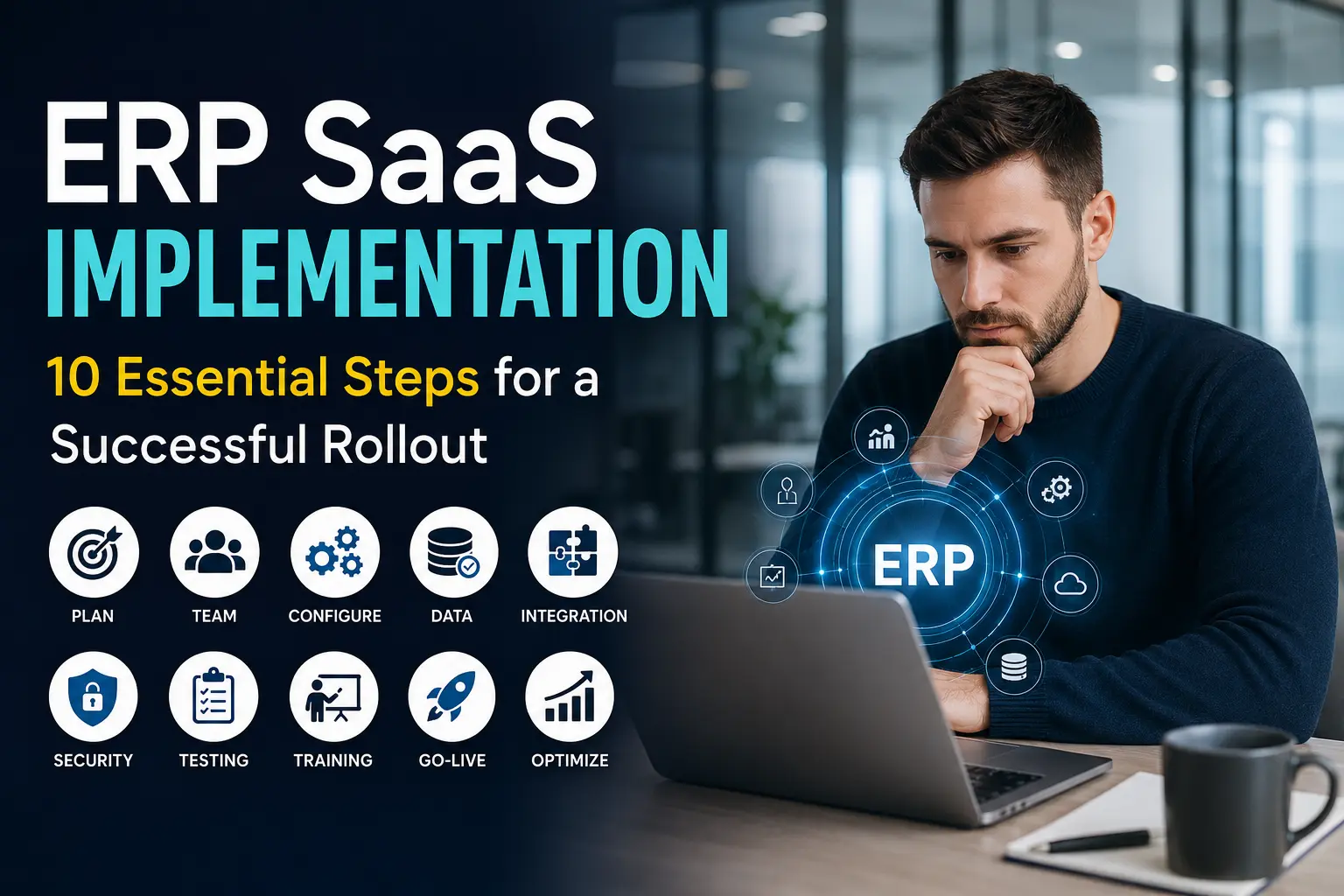
ERP SaaS Implementation: 10 Essential Steps for a Successful Rollout
An ERP SaaS implementation can either make your business feel wonderfully organized—or turn into the kind of project people whisper about in the break room.
The difference usually comes down to preparation.
Choosing an ERP SaaS platform matters, but how you implement it matters just as much. A great system cannot rescue unclear goals, messy data, poor communication, or a team that never learned how to use the software properly.
I’ve seen businesses focus heavily on software features while overlooking the rollout itself. That approach creates unnecessary headaches. Why spend months choosing the perfect ERP system if your implementation plan looks like a sticky note with three bullet points?
Let’s fix that.
This guide walks through 10 essential ERP SaaS implementation steps that can help you move from planning to a successful rollout without turning the project into organizational chaos.
1. Define Your ERP SaaS Goals Before You Choose a System
Before you compare ERP SaaS platforms, figure out what you actually want the system to accomplish.
Sounds obvious, right? Yet many companies start with software demos instead of business problems. They watch impressive dashboards, click through shiny features, and suddenly think, “Yep, we need all of that.”
Not necessarily.
Start with your current pain points.
Identify Your Biggest Business Problems
Ask your team questions such as:
- Where do employees waste the most time?
- Which processes require repetitive manual work?
- Where do data errors happen most often?
- Which departments struggle to share information?
- How long does financial reporting take?
- Where do inventory problems appear?
- Which spreadsheets have become impossible to manage?
- Which approvals create unnecessary delays?
These questions give you a practical starting point.
For example, a growing company might struggle because sales keeps customer information in one system, finance uses spreadsheets, inventory lives inside another application, and management relies on weekly reports.
An ERP SaaS platform can connect those processes.
But remember one important point: ERP software should solve business problems, not create new ones.
Create Measurable Goals
Turn vague objectives into measurable targets.
Instead of saying:
“We want better productivity.”
Try:
“We want to reduce manual invoice processing time by 40% within six months.”
Instead of:
“We need better inventory management.”
Try:
“We want to reduce inventory discrepancies by 30% during the first two quarters after implementation.”
Clear targets make implementation easier to measure.
They also help you decide whether the project actually worked.
2. Build the Right ERP SaaS Implementation Team
You cannot hand an ERP implementation to the IT department and disappear for six months.
Well, you can. But you probably won’t enjoy the results.
ERP implementation requires business, technical, financial, and operational input.
Create a cross-functional implementation team early.
Include Key People From Different Departments
Your core team may include:
- Executive sponsor
- Project manager
- IT representative
- Finance representative
- Operations manager
- HR representative
- Sales or customer-service representative
- Data specialist
- Department-level power users
- ERP vendor or implementation consultant
Each person brings a different perspective.
Finance might care about reporting and accounting controls. Operations might care about workflows and inventory. Sales might focus on customer records and order processing.
That variety matters.
Give Everyone Clear Responsibilities
Define who makes decisions, who manages tasks, who tests workflows, and who communicates changes.
A simple responsibility matrix can prevent confusion.
For example:
| Role | Main Responsibility |
|---|---|
| Executive sponsor | Strategic decisions and support |
| Project manager | Timeline, tasks, communication |
| IT lead | Integrations and technical setup |
| Department leads | Process requirements |
| Data team | Data cleanup and migration |
| End users | Testing and feedback |
| ERP partner | Configuration and technical guidance |
Do not let everyone own everything. Shared responsibility sounds collaborative until nobody knows who should make the final decision.
3. Map Your Existing Business Processes
Before configuring your ERP SaaS system, document how your business currently works.
This step often exposes problems that employees have quietly tolerated for years.
And yes, someone will eventually say, “We’ve always done it this way.”
That sentence deserves a little investigation. 🙂
Document Your Current Workflows
Map important processes such as:
- Quote-to-cash
- Procure-to-pay
- Order fulfillment
- Inventory management
- Financial reporting
- Payroll
- Customer onboarding
- Expense management
- Employee management
- Approval workflows
Write down every major step.
Then identify delays, duplicate work, unnecessary approvals, and manual data entry.
Separate Necessary Steps From Historical Habits
Not every existing process deserves a place in your new ERP system.
Suppose five employees review a purchase request because the company created that process ten years ago after one employee ordered something expensive without approval.
Your ERP implementation gives you a chance to rethink that workflow.
Ask:
Does this step still protect the business, or does it simply slow everyone down?
That question can produce some surprisingly valuable answers.
Decide What You Should Standardize
ERP SaaS systems work best when businesses establish consistent processes.
If three departments use three different approval methods, you may want to standardize them before configuration.
Do not automate a bad process just because automation sounds impressive.
Automation can make a bad process faster. Unfortunately, it can also make mistakes happen faster.
4. Choose the Right ERP SaaS Configuration
Once you understand your processes, configure the ERP around your business requirements.
But avoid excessive customization.
This represents one of the biggest ERP SaaS implementation decisions.
Configuration vs. Customization
Configuration uses the platform’s existing options to support your processes.
Customization changes or extends the system beyond its standard capabilities.
Configuration usually offers a simpler path.
Heavy customization can create:
- Higher implementation costs
- Longer project timelines
- More maintenance work
- Greater upgrade complexity
- Additional testing requirements
- Increased dependency on developers
IMO, businesses should configure first and customize only when a genuine business requirement demands it.
Prioritize Essential Features
You probably don’t need every feature on day one.
Create three categories:
Must-have
These features directly support critical operations.
Should-have
These features improve productivity but don’t block the initial rollout.
Nice-to-have
These features can wait.
This approach helps you avoid scope creep.
Otherwise, the project can slowly transform from “launch our ERP system” into “rebuild the entire company before Friday.”
Nobody needs that.
5. Clean and Prepare Your Data Before Migration
Data migration can make or break an ERP SaaS implementation.
Your new ERP system cannot magically transform messy information into perfect information.
Garbage data enters the system, and garbage data eventually comes back out.
Identify the Data You Actually Need
You may have years of:
- Customer records
- Supplier records
- Product information
- Employee data
- Financial transactions
- Inventory records
- Purchase orders
- Sales records
- Historical reports
You probably don’t need to move everything.
Ask which information the business actually needs after launch.
Clean Your Data
Before migration, look for:
- Duplicate customer records
- Outdated addresses
- Incorrect product codes
- Missing contact details
- Inconsistent naming
- Duplicate suppliers
- Old employee records
- Incorrect inventory values
Create rules for formatting and validation.
For example, decide whether your system should store “United States,” “USA,” or “US” as the country value.
Tiny inconsistencies can create annoying reporting problems later.
Test the Migration
Never trust a migration because someone says, “The import completed successfully.”
Check the results.
Compare totals, records, balances, customer counts, product counts, and other critical information.
Always test migrated data before your final ERP go-live.
6. Integrate Your ERP SaaS Platform With Other Systems
Your ERP rarely works alone.
Most businesses already use applications for payments, CRM, e-commerce, payroll, banking, shipping, marketing, analytics, or customer support.
Your ERP implementation should account for those systems.
Identify Every Important Integration
Create an integration inventory.
Include:
- CRM
- Payment gateways
- Banking platforms
- E-commerce platforms
- Payroll software
- Tax systems
- Shipping platforms
- Business intelligence tools
- Customer-service systems
- Authentication platforms
For every integration, document:
- What data moves between systems?
- Which system owns the data?
- How often does synchronization occur?
- What happens when synchronization fails?
- Who monitors the integration?
Avoid Integration Surprises
Integration problems often appear late because teams focus heavily on the ERP itself.
Don’t wait until launch week.
Test integrations early.
For example, if your e-commerce platform sends orders into your ERP, test the complete workflow:
Customer order → payment confirmation → inventory update → ERP order → fulfillment → accounting entry
That end-to-end test can expose problems that individual system tests might miss.
7. Create a Strong ERP SaaS Security Plan
ERP systems contain valuable business information.
Your implementation plan should therefore include security from the beginning.
Use Role-Based Access
Not every employee needs access to every ERP module.
Create roles based on job responsibilities.
For example:
- Finance employees can access accounting functions.
- Sales employees can access customer and sales information.
- Warehouse employees can access inventory functions.
- HR employees can access appropriate employee records.
- Managers can access relevant reports.
Give employees the access they need—not every permission available.
Protect Sensitive Information
Your security plan should consider:
- Strong authentication
- Multi-factor authentication
- Role-based permissions
- Secure integrations
- Audit logs
- Backup strategies
- Data retention
- Employee offboarding
- Vendor security controls
Also review your ERP provider’s security documentation.
Ask practical questions.
How does the vendor protect customer data? How does the platform handle access logs? What happens when an employee leaves? How does the provider respond to security incidents?
FYI, “Our vendor handles security” should never end the conversation.
8. Test the ERP System Before Go-Live
Testing gives your team a chance to discover problems while fixing them still costs less.
Don’t wait until launch day to find out that the invoice workflow sends data to the wrong account.
Run Different Types of Testing
A strong ERP SaaS testing plan can include:
Unit testing
Test individual configurations or functions.
Integration testing
Test communication between ERP and connected systems.
Process testing
Test complete business workflows.
User acceptance testing
Ask real users to perform realistic tasks.
Security testing
Verify permissions and access restrictions.
Let Real Users Test Real Scenarios
Create realistic scenarios.
For example:
A customer places an order.
Then follow the entire workflow.
Can the sales employee create the order? Does inventory update correctly? Does finance receive the correct information? Does the system generate the right documents?
Test the messy scenarios too.
What happens when a customer cancels an order? What happens when inventory runs out? What happens when someone enters incorrect information?
Real users often find problems that technical teams miss.
Why?
Because they know how the business actually behaves.
9. Train Employees and Manage Change
You can build the best ERP system in the world, but employees still need to use it.
That sounds painfully obvious, yet training often becomes the first thing companies cut when implementation schedules get tight.
Don’t.
Explain the “Why”
Employees need more than button-by-button instructions.
Explain why the company changed the process.
For example:
“You now enter customer information here because finance and sales need the same record.”
That explanation makes the change easier to understand.
Train People by Role
Avoid giving everyone the same massive training session.
Instead, create role-specific training.
For example:
Finance training
- Invoices
- Payments
- Reconciliation
- Financial reports
Sales training
- Customers
- Leads
- Quotes
- Orders
Operations training
- Inventory
- Purchasing
- Fulfillment
Management training
- Dashboards
- KPIs
- Reports
- Approvals
Create Internal Champions
Choose employees who learn quickly and enjoy helping colleagues.
These people can become internal ERP champions.
They can answer simple questions, collect feedback, and help employees adapt.
This approach also reduces pressure on your implementation team.
And let’s be honest: employees often ask their coworker a quick question before they contact IT.
Use that behavior to your advantage.
10. Plan the ERP SaaS Go-Live and Measure Results
You’ve configured the system.
You’ve migrated data.
You’ve tested integrations.
Your employees completed training.
Now comes the big moment: go-live.
Don’t treat go-live as the finish line.
Treat it as the beginning of the optimization phase.
Choose a Practical Go-Live Strategy
You can choose from several approaches.
Big-Bang Rollout
You launch the ERP system across the business at once.
Pros:
- Faster transition
- One system from day one
- No long coexistence period
Cons:
- Higher short-term risk
- Larger training demand
- Greater pressure on support teams
Phased Rollout
You launch the ERP in stages.
For example:
- Finance
- Inventory
- Procurement
- Sales
- HR
Pros:
- Smaller implementation steps
- Easier troubleshooting
- More manageable training
Cons:
- Longer overall rollout
- Temporary process complexity
- More coordination
Which approach should you choose?
It depends on your company size, risk tolerance, process complexity, and implementation readiness.
Prepare a Go-Live Checklist
Before launch, verify:
- Data migration
- User accounts
- Permissions
- Integrations
- Reports
- Workflows
- Backups
- Training
- Support contacts
- Documentation
- Error-handling procedures
Create a clear escalation process.
If someone encounters a serious problem on launch day, they should know exactly where to report it.
Monitor Post-Go-Live Performance
After launch, track meaningful KPIs.
Consider measuring:
- Processing time
- Order accuracy
- Invoice cycle time
- Inventory accuracy
- Employee adoption
- Reporting speed
- System errors
- Support requests
- Manual work reduction
- Cost savings
Compare your results against the goals you created at the beginning.
That comparison tells you whether your ERP implementation delivered real value.
Common ERP SaaS Implementation Mistakes to Avoid
Even a well-planned implementation can stumble.
Watch for these common mistakes.
1. Starting Without Clear Goals
If nobody knows what success looks like, the project can drift endlessly.
Fix: Define measurable objectives before implementation.
2. Ignoring Employees
Your employees will use the system every day.
Fix: Include users in planning, testing, and training.
3. Migrating Dirty Data
Old duplicates and inaccurate records can pollute your shiny new ERP.
Fix: Clean data before migration.
4. Customizing Everything
Customization can solve specific requirements, but excessive customization increases complexity.
Fix: Use standard ERP functionality whenever practical.
5. Underestimating Training
Employees cannot master a complex ERP platform from a one-hour presentation.
Fix: Provide role-based training and ongoing support.
6. Forgetting Integrations
Your ERP rarely exists in isolation.
Fix: Map and test integrations early.
7. Treating Go-Live as the End
Your business will learn new things after launch.
Fix: Monitor performance and continuously improve workflows.
ERP SaaS Implementation Timeline: What Should You Expect?
Every business follows a different timeline.
A small company with simple processes might complete an ERP SaaS implementation relatively quickly. A large organization with multiple locations, complex workflows, extensive integrations, and strict compliance requirements may need significantly more time.
A typical implementation might follow this general structure:
| Phase | Main Activities |
|---|---|
| Planning | Goals, team, requirements |
| Discovery | Process mapping and analysis |
| Configuration | ERP setup and workflows |
| Data preparation | Cleanup and migration |
| Integration | Connect external systems |
| Testing | Functional and user testing |
| Training | Employee preparation |
| Go-live | Launch and support |
| Optimization | KPIs and improvements |
Don’t obsess over the calendar alone.
Readiness matters more than speed.
Launching two weeks earlier means little if employees struggle to process orders afterward.
How Much Does ERP SaaS Implementation Cost?
ERP SaaS implementation costs vary significantly.
Your total investment can include:
- Software subscriptions
- Implementation services
- Consulting
- Data migration
- Integrations
- Custom development
- Employee training
- Internal project time
- Testing
- Ongoing support
A lower subscription price does not automatically mean a lower total cost.
Look at the total cost of ownership.
Ask:
- What does implementation cost?
- What do integrations cost?
- What does additional storage cost?
- What do extra users cost?
- What does premium support cost?
- What happens when the company grows?
- How much internal staff time will the project require?
A cheap ERP that requires extensive customization may cost more than a slightly more expensive platform that fits your processes naturally.
How to Make Your ERP SaaS Implementation More Successful
Want to improve your odds of a smooth rollout?
Keep these principles close.
Keep the Scope Under Control
Define what the first release needs to accomplish.
Push nonessential features into later phases.
Communicate Constantly
Keep employees informed about:
- What will change
- Why the company made the change
- When changes will happen
- How training will work
- Where employees can get help
Silence creates rumors.
Clear communication creates confidence.
Measure Adoption
A system can work perfectly while employees continue using spreadsheets.
That creates a serious problem.
Track whether employees actually use the ERP system.
Look for:
- Login activity
- Workflow completion
- Manual workarounds
- Spreadsheet dependency
- Data quality
- Training completion
User adoption often determines the real value of ERP software.
Keep Improving
After launch, collect feedback.
Ask employees:
- What works well?
- What wastes time?
- Which workflow causes frustration?
- Which report do you still build manually?
- What information do you struggle to find?
Then prioritize improvements.
Your ERP system should evolve with your business.
ERP SaaS Implementation Best Practices: Quick Checklist
Before you start, make sure your team can answer “yes” to most of these questions:
- Have we defined measurable ERP goals?
- Have we created a cross-functional implementation team?
- Have we documented our current business processes?
- Have we identified inefficient workflows?
- Have we defined configuration requirements?
- Have we limited unnecessary customization?
- Have we cleaned our data?
- Have we planned data migration?
- Have we identified required integrations?
- Have we created a security and access plan?
- Have we completed realistic testing?
- Have we trained employees by role?
- Have we prepared internal ERP champions?
- Have we created a detailed go-live plan?
- Have we defined post-launch KPIs?
- Have we created an ongoing improvement process?
If you can confidently check these boxes, you’ve already avoided many of the problems that derail ERP projects.
Final Thoughts: Make the ERP Implementation About the Business
An ERP SaaS implementation should never become a software project for the sake of software.
It should improve how your business operates.
Start with your goals. Build the right team. Map your processes. Clean your data. Configure carefully. Test everything. Train your people. Launch with a plan. Then measure what happens.
The technology matters, but people, processes, and preparation usually determine whether the technology delivers value.
And here’s the part worth remembering: you don’t need a flawless implementation.
You need a thoughtful one.
Your first ERP rollout will probably teach you things you didn’t expect. That’s normal. The smart move involves learning quickly, fixing issues before they grow, and continuously improving the system.
So before you schedule that big ERP kickoff meeting, ask yourself one simple question:
Are we ready to implement software, or are we ready to improve the way we actually run the business?
If you choose the second option, your ERP SaaS implementation has a much better chance of becoming a genuine productivity upgrade instead of an expensive digital headache.
Read More: How ERP SaaS Boosts Business Productivity: 10 Powerful Benefits
My new site: news9.live



1 thought on “ERP SaaS Implementation: 10 Essential Steps for a Successful Rollout”