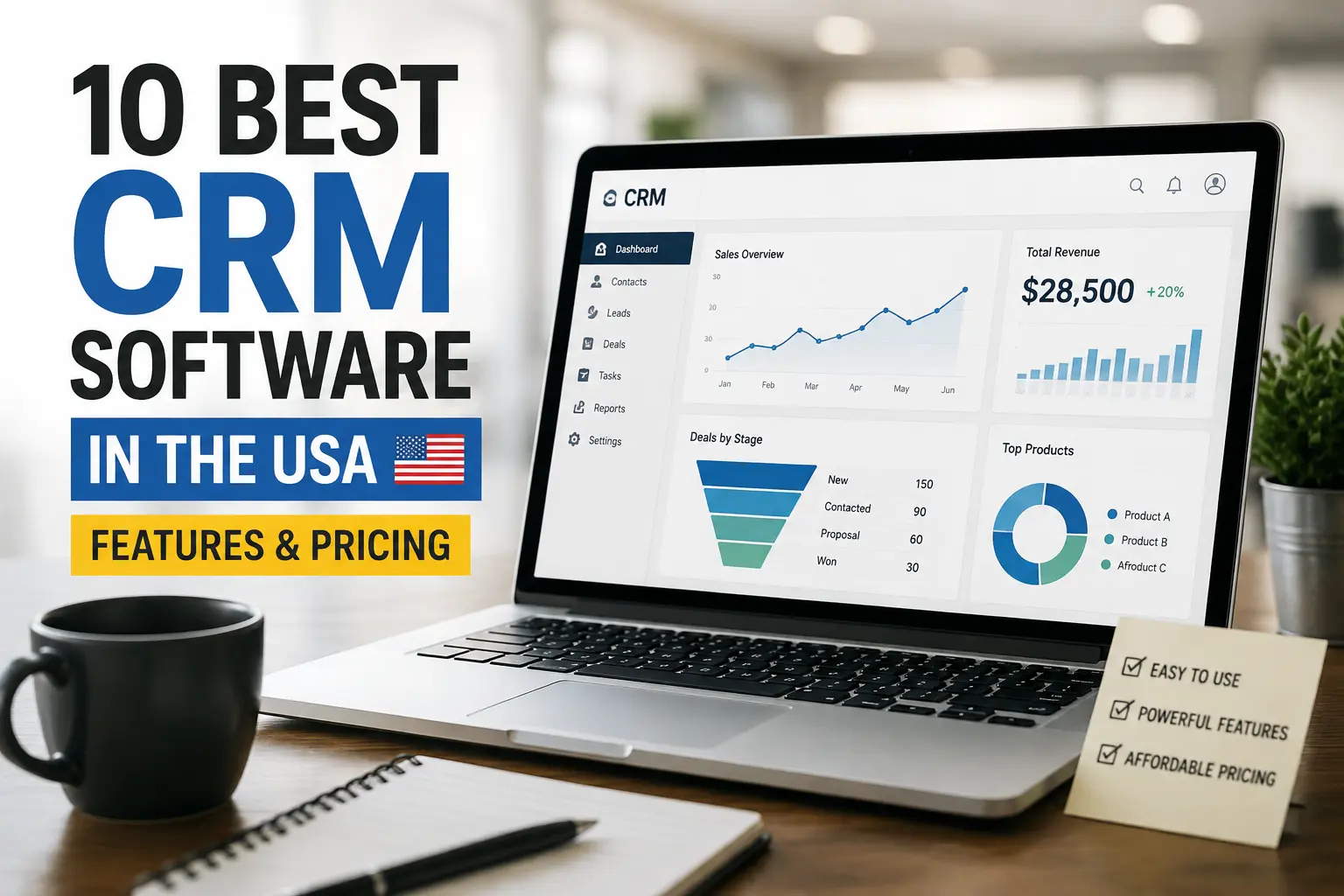
10 Best CRM Software in the USA: Powerful Features & Pricing
Choosing CRM software sounds simple until you open a dozen pricing pages and discover that every platform wants to be your sales team, marketing department, customer-support desk, and possibly your morning coffee machine.
If you run a small business, startup, agency, or growing U.S. company, you need a CRM that actually fits the way your team sells. The best CRM software should organize contacts, track leads, manage sales pipelines, automate repetitive work, and give your team useful customer data without creating another headache.
I compared ten popular CRM platforms across features, pricing, ease of use, automation, scalability, integrations, and overall value. Some platforms target small businesses, while others aim squarely at large enterprises. So, which CRM deserves your attention?
Let’s find out.
Quick Comparison: Best CRM Software in the USA
Here’s the short version before we get into the details.
| CRM Software | Best For | Starting Price* | Standout Feature |
|---|---|---|---|
| HubSpot CRM | Small businesses & growing companies | Free; paid plans from $15/seat/mo | Marketing + sales ecosystem |
| Salesforce | Large businesses & enterprises | From $25/user/mo | Deep customization |
| Zoho CRM | Budget-conscious businesses | Free; paid from $14/user/mo annually | Excellent value |
| Pipedrive | Sales-focused teams | From around $14/user/mo annually | Visual sales pipeline |
| Freshsales | Startups & SMBs | Free; paid plans from around $9/user/mo | Sales automation |
| monday CRM | Flexible workflows | From $12/seat/mo annually | Customizable workflows |
| Microsoft Dynamics 365 Sales | Microsoft-focused businesses | Varies by plan | Microsoft ecosystem |
| Insightly | Project-driven businesses | From $29/user/mo annually | CRM + project management |
| Close | Inside sales teams | From around $19/user/mo | Built-in calling & sales communication |
| Less Annoying CRM | Small businesses | Around $15/user/mo | Simplicity |
*Pricing can change, and vendors may offer annual-billing discounts, promotions, add-ons, onboarding fees, or usage-based charges. Always check the vendor’s current pricing page before purchasing.
Now let’s look at what each CRM actually brings to the table.
1. HubSpot CRM — Best Overall CRM for Growing Businesses
HubSpot CRM earns the top spot because it gives businesses something many CRM platforms struggle to deliver: a relatively easy starting point with room to grow.
Its free CRM includes core tools for contact management, deal pipelines, CRM imports, reporting, email tools, meeting scheduling, and live chat. HubSpot says its free CRM supports up to two users and 1,000 contacts under the current free offering.
That setup works particularly well for startups and small U.S. businesses that don’t want to spend thousands of dollars before they even know whether their sales process works.
Key HubSpot Features
- Contact and company management
- Deal and pipeline management
- Email tracking and templates
- Meeting scheduling
- Live chat
- Sales automation
- Reporting dashboards
- Marketing automation
- Customer service tools
- AI-powered CRM features
- Large integration ecosystem
HubSpot also lets companies expand beyond basic CRM functionality into marketing, sales, customer service, content, and data tools.
HubSpot CRM Pricing
HubSpot currently offers a free CRM, while paid Smart CRM plans start at $15 per seat per month according to its product page. Professional starts at $50 per seat per month, while Enterprise starts at $75 per seat per month.
However, HubSpot’s broader Sales Hub pricing follows a different structure. Sales Hub Professional currently starts at $90 per seat per month with annual billing, while Enterprise starts at $150 per seat per month. HubSpot also lists required onboarding fees for those higher tiers.
My take: HubSpot makes an excellent choice if you want your CRM to grow alongside your marketing and sales operation.
The catch? Advanced features can become expensive as your team grows. That free plan looks wonderfully innocent at first. Then your business grows. Funny how that happens. 🙂
Best for: Startups, small businesses, agencies, SaaS companies, and growing companies that want CRM plus marketing and customer-service tools.
2. Salesforce — Best CRM for Enterprise Businesses
When people talk about enterprise CRM, Salesforce usually enters the conversation pretty quickly.
Salesforce focuses heavily on customization, automation, analytics, integrations, and large-scale sales operations. It can handle sophisticated sales processes that smaller CRMs may struggle to accommodate.
Key Salesforce Features
- Lead and opportunity management
- Account and contact management
- Advanced sales forecasting
- Customizable sales processes
- Sales automation
- AI-powered sales tools
- Reporting and dashboards
- Mobile CRM
- Extensive integrations
- Developer tools and APIs
- Enterprise-level customization
Salesforce currently lists Starter Suite at $25 per user per month, Pro Suite at $100, Enterprise at $175, Unlimited at $350, and Agentforce 1 Sales at $550 per user per month with annual billing.
Salesforce also offers a free 30-day trial for its sales editions.
Why Choose Salesforce?
Large organizations often need complicated approval processes, custom objects, multiple teams, sophisticated reporting, and deep integrations. Salesforce handles that complexity extremely well.
But here’s the important question: Do you actually need all that power?
If your sales team has five people and you mainly need contact management and follow-up reminders, Salesforce may feel like bringing a commercial airplane to a bicycle race.
Best for: Enterprises, large sales teams, organizations with complex workflows, and companies that need extensive customization.
3. Zoho CRM — Best Value for Small and Mid-Sized Businesses
Zoho CRM has built a strong reputation around value.
You get a surprisingly broad feature set without paying enterprise-level prices. That combination makes Zoho especially interesting for small and mid-sized businesses that want more than basic contact management.
Key Zoho CRM Features
- Lead management
- Contact management
- Deal management
- Sales forecasting
- Email insights
- Workflow automation
- Multiple currencies
- Sales signals
- Customization
- Reporting
- AI assistance
- Marketing integrations
- Mobile applications
Zoho’s current comparison lists a free plan for three users, followed by Standard at $14 per user per month, Professional at $23, Enterprise at $40, and Ultimate at $52 when billed annually. Monthly prices run higher.
Why Zoho Stands Out
Zoho gives smaller companies access to features that often sit behind higher-priced CRM tiers elsewhere.
That matters when you’re trying to control software costs while still building a serious sales operation.
IMO, Zoho makes one of the strongest choices for businesses that care about the feature-to-price ratio.
The interface may take a little more time to learn than some simpler CRM platforms, but the flexibility rewards teams that invest the time.
Best for: Small businesses, growing companies, agencies, consultants, and organizations that want powerful CRM features at a reasonable price.
4. Pipedrive — Best CRM for Sales Pipeline Management
If your biggest CRM complaint sounds like, “I can’t tell where our deals are,” take a look at Pipedrive.
Pipedrive focuses heavily on sales pipeline management. Its visual approach lets salespeople see deals, stages, activities, and next steps without digging through endless menus.
Key Pipedrive Features
- Visual sales pipelines
- Lead management
- Deal tracking
- Activity reminders
- Email synchronization
- Sales automation
- Reporting
- Sales forecasting
- Custom fields
- Mobile CRM
- Integrations
- AI-powered sales assistance
Pipedrive’s entry-level pricing commonly starts around $14 per user per month with annual billing, although the vendor can change plan names, pricing, and included features.
Why Sales Teams Like Pipedrive
Salespeople don’t usually want a complicated database project. They want to know three things:
- Which deals need attention?
- What should I do next?
- How close am I to hitting my target?
Pipedrive puts those questions at the center of the interface.
Best for: Sales teams, B2B companies, agencies, consultants, and businesses that prioritize pipeline visibility.
5. Freshsales — Best Affordable CRM for Startups
Freshsales from Freshworks focuses on helping sales teams manage leads, contacts, conversations, and deals without overwhelming users.
That makes it a practical option for startups and small businesses that want sales automation without jumping straight into an enterprise platform.
Key Freshsales Features
- Contact management
- Lead scoring
- Deal management
- Email tracking
- Sales sequences
- Workflow automation
- Reporting
- AI-powered assistance
- Built-in communication tools
- Mobile access
- Integrations
Freshsales has historically offered a free tier and low-cost paid plans, with current market comparisons placing its paid entry point around $9 per user per month depending on the plan and billing arrangement.
Why Choose Freshsales?
Freshsales makes sense when you want a CRM that stays focused on sales.
You don’t necessarily need a platform with 900 menus, 47 dashboards, and enough configuration options to require a weekend retreat.
Best for: Startups, small sales teams, SaaS businesses, and companies looking for affordable sales automation.
6. monday CRM — Best for Customizable CRM Workflows
You might know monday.com for project management, but monday CRM takes the same visual and customizable philosophy into customer relationship management.
The platform works particularly well for teams that don’t want a rigid CRM structure.
Key monday CRM Features
- Lead management
- Contact management
- Deal pipelines
- Custom boards
- Sales dashboards
- Automations
- Email sequences
- Activity tracking
- Quotes and invoices
- AI tools
- Mobile apps
- Workflow customization
Current annual pricing lists Basic at $12 per seat per month, Standard at $17, and Pro at $28. monday CRM plans start with three seats, and the company offers a free trial rather than a permanent free CRM plan.
The platform also includes AI functionality across its CRM plans, including tools for meeting notes, sales assistance, lead sourcing, and other workflows.
Why monday CRM Works
The biggest advantage comes from flexibility.
You can customize fields, workflows, dashboards, and processes without requiring a developer for every small change.
Best for: Small and medium-sized teams, agencies, creative businesses, operations teams, and companies with unusual sales workflows.
7. Microsoft Dynamics 365 Sales — Best for Microsoft Ecosystem Users
If your company already relies heavily on Microsoft 365, Teams, Outlook, Excel, Power BI, and other Microsoft products, Dynamics 365 Sales deserves serious consideration.
The platform combines CRM functionality with Microsoft’s broader business ecosystem.
Key Dynamics 365 Sales Features
- Lead and opportunity management
- Account management
- Sales forecasting
- Sales automation
- AI-assisted selling
- Relationship insights
- Reporting
- Microsoft Teams integration
- Outlook integration
- Power Platform connectivity
- Enterprise security
- Custom workflows
Dynamics 365 works particularly well for organizations that want CRM data to connect with existing Microsoft business processes.
The Main Advantage
Integration can save a huge amount of time.
Instead of asking employees to jump between unrelated systems, Microsoft lets businesses connect customer information with communication, collaboration, reporting, and productivity tools.
The downside? Dynamics 365 can feel more complicated than lightweight CRM products.
If your team already lives inside Microsoft tools, however, that complexity can make more sense.
Best for: Mid-sized companies, enterprises, Microsoft-heavy organizations, and businesses that need advanced CRM customization.
8. Insightly — Best CRM for CRM + Project Management
Some companies don’t stop working once they close a deal. They still need to deliver a project, manage tasks, communicate with customers, and track deadlines.
That’s where Insightly can make a lot of sense.
Key Insightly Features
- Contact management
- Lead management
- Opportunity management
- Project management
- Workflow automation
- Email templates
- Custom fields
- Reporting
- Role-based permissions
- Mobile apps
- Integrations
Insightly’s published pricing materials list Plus at $29 per user per month, Professional at $49, and Enterprise at $99 when billed annually. Monthly billing costs more.
Why Choose Insightly?
The CRM-to-project connection gives Insightly an advantage for businesses that sell services and then deliver projects.
Think agencies, consulting firms, professional services, and companies that need to keep sales and delivery connected.
Best for: Agencies, consultants, professional services, and project-based businesses.
9. Close — Best CRM for Inside Sales Teams
If your sales process revolves around phone calls, emails, follow-ups, and high-volume outreach, Close deserves a look.
Close focuses heavily on communication and sales productivity rather than trying to become an everything-platform.
Key Close Features
- Lead management
- Calling
- SMS
- Sales sequences
- Pipeline management
- Automated follow-ups
- Reporting
- Call coaching tools
- CRM activity tracking
- Integrations
Close traditionally starts around $19 per user per month on its entry-level plan, with higher tiers adding more automation and communication features.
Why Close Works
The big selling point comes down to speed.
Sales reps can manage conversations and follow-ups from one workspace instead of bouncing between a CRM, email platform, phone system, and spreadsheet.
Ever watched a sales rep switch between six tabs just to contact one prospect? Exactly.
Best for: Inside sales teams, outbound sales organizations, agencies, startups, and businesses with high-volume sales outreach.
10. Less Annoying CRM — Best Simple CRM for Small Businesses
The name tells you exactly what this company wants to accomplish.
Less Annoying CRM focuses on simplicity rather than overwhelming users with hundreds of features.
For a small business owner who simply wants to manage contacts, leads, follow-ups, tasks, and notes, that approach can feel refreshing.
Key Features
- Contact management
- Lead tracking
- Task management
- Calendar
- Follow-up reminders
- Pipeline management
- Custom fields
- Team collaboration
- Reporting
- Customer support
Pricing typically sits around $15 per user per month, making the platform straightforward to budget for.
Why Choose Less Annoying CRM?
Small businesses don’t always need sophisticated AI, enterprise analytics, or 300 integrations.
Sometimes they just need a system that answers:
Who is this customer, what did we discuss, and when should I follow up?
Less Annoying CRM keeps that experience simple.
Best for: Small businesses, freelancers, consultants, local service companies, and teams that prioritize ease of use.
CRM Software Pricing: What Should You Actually Pay?
Here’s where CRM shopping gets interesting.
The advertised monthly price doesn’t always tell you the real cost.
A CRM can charge for:
- Number of users
- Premium features
- Marketing contacts
- Automation
- AI credits
- Phone calls
- Data storage
- Integrations
- Onboarding
- Advanced reporting
- Additional support
HubSpot provides a perfect example. Its basic CRM can cost nothing, while advanced Sales Hub plans add considerably more expense and may require onboarding fees.
Salesforce follows another approach, with pricing ranging from its Starter Suite through highly advanced enterprise and AI-focused plans.
monday CRM also changes pricing according to seats and plan level, with annual billing offering lower advertised prices than monthly billing.
So don’t ask only, “How much does the CRM cost?”
Ask, “How much will my entire CRM operation cost after 12 months?”
That number matters much more.
What Features Should You Look for in CRM Software?
Not every company needs every CRM feature.
Start with the fundamentals.
1. Contact Management
Your CRM should give your team one reliable place to store customer information.
Look for:
- Contact details
- Company information
- Communication history
- Notes
- Tasks
- Customer activity
- Custom fields
2. Lead Management
A good CRM should help you move prospects from initial contact toward a sale.
Look for lead capture, scoring, qualification, assignment, and follow-up tools.
3. Sales Pipeline Management
Your team should understand where every opportunity stands.
A visual pipeline can help salespeople identify stalled deals and prioritize their next actions.
4. Automation
Automation can remove repetitive administrative work.
Look for tools that automate:
- Follow-up emails
- Task creation
- Lead assignments
- Notifications
- Deal-stage changes
- Data updates
- Sales sequences
5. Reporting and Analytics
A CRM shouldn’t simply store information.
It should help you understand that information.
Useful reports include:
- Sales revenue
- Conversion rates
- Pipeline value
- Sales activity
- Win rates
- Forecasts
- Customer retention
6. Integrations
Your CRM should work with the tools your company already uses.
Common integrations include:
- Gmail
- Outlook
- Microsoft Teams
- Slack
- Zoom
- Google Workspace
- Accounting software
- Marketing platforms
- E-commerce systems
7. Mobile Access
Salespeople don’t spend their entire lives behind a desk.
A good mobile CRM lets users update records, check deals, schedule activities, and communicate with customers while traveling.
How to Choose the Best CRM for Your Business
Choosing CRM software becomes much easier when you stop comparing feature lists and start comparing your actual workflow.
Ask yourself these questions.
How Big Is Your Team?
A five-person startup doesn’t need the same CRM as a 5,000-person enterprise.
Smaller teams should prioritize:
- Simplicity
- Price
- Easy setup
- Core sales features
- Useful integrations
Larger organizations should prioritize:
- Security
- Customization
- Permissions
- Automation
- Analytics
- Scalability
- Integration capabilities
What Is Your Sales Process?
If you run a straightforward sales pipeline, Pipedrive or Freshsales could work well.
If you need marketing, service, and sales together, HubSpot becomes more attractive.
If you manage highly complex enterprise operations, Salesforce or Dynamics 365 may make more sense.
How Much Customization Do You Need?
Some businesses love customization.
Others just want something that works.
If your team constantly changes its sales process, look at flexible options such as monday CRM, Salesforce, Zoho, or Dynamics 365.
If simplicity matters more, consider Less Annoying CRM or Pipedrive.
Best CRM Software by Business Type
Still unsure?
Here’s my practical shortlist.
Best CRM for Startups
HubSpot or Freshsales
Startups usually need affordable sales tools, contact management, automation, and room to grow.
HubSpot’s free CRM gives startups a low-risk starting point, while Freshsales can provide an affordable sales-focused environment.
Best CRM for Small Businesses
Zoho CRM or Less Annoying CRM
Zoho offers more features for businesses that want flexibility.
Less Annoying CRM makes more sense when simplicity matters more than advanced functionality.
Best CRM for Sales Teams
Pipedrive or Close
Pipedrive provides excellent pipeline visibility.
Close focuses heavily on communication and outbound sales productivity.
Best CRM for Enterprise
Salesforce or Microsoft Dynamics 365
Both platforms can support complicated business processes, large teams, integrations, permissions, automation, and advanced reporting.
Best CRM for Agencies
HubSpot, monday CRM, or Insightly
Agencies often need sales management plus project or customer workflows.
monday CRM and Insightly provide flexible workflow options, while HubSpot adds powerful marketing capabilities.
CRM Software: Free vs Paid
Should you use a free CRM?
Absolutely—if it meets your needs.
Free CRM plans work particularly well for:
- Freelancers
- Early-stage startups
- Small sales teams
- New businesses
- Testing a CRM before buying
HubSpot currently offers a free CRM with core contact and deal-management functionality.
However, free plans often limit advanced automation, reporting, integrations, users, or other premium capabilities.
That’s not necessarily a problem.
You should upgrade only when the extra functionality creates enough value to justify the cost.
FYI, the cheapest CRM isn’t automatically the best CRM. A $10 tool that wastes three hours every week can cost more than a $30 tool that saves those hours.
Common CRM Mistakes Businesses Make
Buying CRM software doesn’t automatically improve sales.
Your team still needs a sensible process.
Mistake #1: Choosing Too Many Features
More features don’t always mean more value.
If your employees need training just to create a contact, rethink the choice.
Mistake #2: Ignoring User Adoption
Your CRM only works when your team actually uses it.
Choose software that feels natural to your salespeople.
Mistake #3: Forgetting Data Quality
A CRM filled with duplicate, outdated, or incomplete records won’t help much.
Create simple rules for data entry and regularly clean your database.
Mistake #4: Looking Only at Monthly Price
Always calculate the total cost of ownership.
Include users, add-ons, onboarding, integrations, premium features, and expected growth.
Mistake #5: Buying for Your Future Instead of Your Present
Planning for growth makes sense.
Paying thousands today for features you might need five years from now doesn’t always make sense.
Choose software that can grow with you without forcing you to buy everything immediately.
Frequently Asked Questions About CRM Software
What is CRM software?
CRM stands for Customer Relationship Management.
CRM software helps businesses organize customer information, manage leads, track sales opportunities, record communication, automate workflows, and analyze sales performance.
What is the best CRM software in the USA?
There isn’t one universal winner.
HubSpot works well for businesses that want an accessible CRM and broader marketing ecosystem. Salesforce fits complex enterprise operations. Zoho offers strong value, while Pipedrive works especially well for sales teams focused on pipeline management.
What is the best free CRM?
HubSpot CRM stands out as one of the strongest free options because it combines contact management, deal pipelines, reporting, and other useful sales tools without requiring an upfront subscription.
How much does CRM software cost?
CRM pricing can range from free to hundreds of dollars per user per month, depending on the platform and plan.
For example, Salesforce currently lists plans from $25 per user per month for Starter Suite to $550 per user per month for Agentforce 1 Sales with annual billing.
Zoho CRM lists paid annual plans from $14 per user per month, while monday CRM starts at $12 per seat per month on annual billing.
Is CRM software worth it for a small business?
Yes, if your business regularly manages leads and customers.
A CRM can help you stop relying on spreadsheets, scattered emails, personal notes, and the classic “I’ll remember to call them next Tuesday” strategy.
Should I choose HubSpot or Salesforce?
Choose HubSpot if you want easier entry, strong marketing integration, and a more approachable starting point.
Choose Salesforce if you need deep customization, advanced enterprise workflows, and extensive scalability.
Is Zoho CRM cheaper than Salesforce?
Generally, yes.
Zoho targets a broader range of small and mid-sized businesses and offers substantially lower entry-level pricing. Salesforce offers more extensive enterprise capabilities but can cost considerably more as requirements increase.
Which CRM is easiest to use?
Your answer depends on your team’s experience and workflow.
Less Annoying CRM, Pipedrive, and HubSpot generally appeal to teams that prioritize straightforward interfaces and easier adoption.
Can CRM software replace spreadsheets?
It can replace many spreadsheet-based sales processes.
A CRM gives your team structured records, activity tracking, automation, permissions, reporting, and shared customer information.
That doesn’t mean spreadsheets disappear from your company forever. They just don’t need to carry your entire sales operation on their back.
Final Verdict: Which CRM Should You Choose?
The 10 best CRM software options in the USA each solve a slightly different problem.
If you want the easiest all-around starting point, HubSpot CRM deserves the first look.
If your organization needs serious enterprise customization, Salesforce remains a powerful choice.
If you want strong features without a huge budget, Zoho CRM offers excellent value.
If your team lives and breathes sales pipelines, Pipedrive makes a lot of sense.
For startups looking for affordable sales automation, Freshsales deserves consideration.
If your business needs flexible visual workflows, monday CRM stands out.
Microsoft-heavy organizations should consider Dynamics 365 Sales, while project-driven companies may prefer Insightly.
For high-volume inside sales, Close provides a communication-focused approach.
And if you simply want a straightforward CRM without unnecessary complexity, Less Annoying CRM earns its name.
The real winner isn’t the CRM with the longest feature list.
It’s the CRM your team actually uses every day.
Before you buy, test your top two or three choices, import a small sample of your data, build one real sales pipeline, and ask your team to use it for a week. If everyone understands what to do without calling you every fifteen minutes, you’ve probably found a good match.
Because at the end of the day, the best CRM isn’t the fanciest one.
It’s the one that helps your business sell more, follow up faster, and lose fewer customers along the way.
Read More: How ERP SaaS Boosts Business Productivity: 10 Powerful Benefits
My new site: news9.live