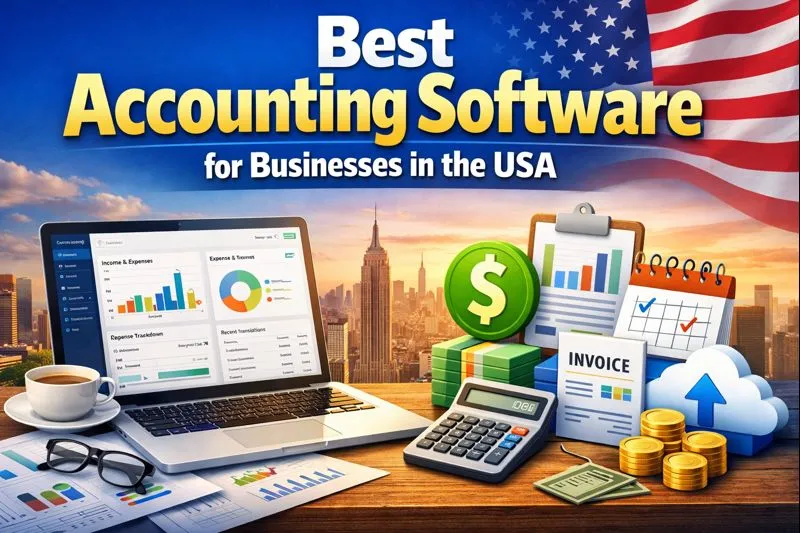
Best Accounting Software for Small Businesses in the USA
Your spreadsheet worked fine when you had five customers.
Then you got 50.
Now you have invoices, receipts, bank transactions, payroll, taxes, expenses, and that mysterious $47 charge nobody remembers making. Suddenly, “I’ll just track everything in Excel” sounds like a terrible life choice.
The best accounting software for small businesses in the USA can take a huge chunk of that work off your plate. The right platform can handle bookkeeping, invoicing, expense tracking, bank reconciliation, financial reporting, and sometimes payroll, inventory, project accounting, and tax-related tasks.
But which software should you actually choose?
I compared the leading options for 2026 based on features, pricing, ease of use, scalability, integrations, invoicing, reporting, and overall value. My goal isn’t to tell you that one app magically works for every business. It doesn’t.
Instead, I’ll show you which accounting software fits which type of small business so you can make a smarter choice without becoming an accidental accountant.
Quick Answer: What Is the Best Accounting Software for Small Businesses?
For most U.S. small businesses, QuickBooks Online remains the strongest all-around choice because of its broad feature set, accountant ecosystem, integrations, reporting, and scalability. NerdWallet currently gives QuickBooks Online a 5.0/5 rating and identifies it as a leading choice for businesses that work with accountants.
However, you have plenty of alternatives.
Here are my top 10 picks for 2026:
- QuickBooks Online — Best Overall
- Xero — Best for Growing Teams
- FreshBooks — Best for Freelancers and Service Businesses
- Zoho Books — Best Free and Budget-Friendly Option
- Wave — Best Free Accounting Software for Very Small Businesses
- Patriot Accounting — Best Value for U.S. Businesses
- Sage 50 — Best for Advanced Accounting and Inventory
- OneUp — Best for Accounting, Inventory, and CRM
- AccountEdge — Best Desktop Accounting Software
- Kashoo — Best for Simple, Straightforward Bookkeeping
The best choice depends on your business model. A freelance designer doesn’t need the same accounting setup as a retailer with 10 employees and 2,000 products.
So let’s break it down.
What Should Small Business Accounting Software Actually Do?
Before you choose software, forget the flashy dashboards for a minute.
Your accounting system should make the boring stuff easier.
At minimum, look for:
- Income and expense tracking
- Bank account connections
- Bank reconciliation
- Invoice creation
- Expense categorization
- Financial reports
- Tax-ready records
- Receipt management
- Accounts payable and receivable
- Accountant access
- Mobile access
- Data backups and security
As your business grows, you may also need:
- Payroll
- Inventory management
- Project accounting
- Time tracking
- Purchase orders
- Sales tax tools
- 1099 and W-9 management
- Multiple users
- Multi-location reporting
- Budgeting
- Cash-flow forecasting
- Advanced automation
Why pay for features you’ll never touch?
Exactly.
A solo consultant might need excellent invoicing and expense tracking. A growing ecommerce company might care far more about inventory, sales-tax workflows, integrations, and detailed reporting.
1. QuickBooks Online — Best Accounting Software Overall
If you ask a group of U.S. business owners or accountants which accounting platform they recognize first, QuickBooks Online will probably dominate the conversation.
That popularity makes sense.
QuickBooks Online offers accounting, invoicing, expense management, reporting, payments, bank feeds, inventory features on applicable plans, and a large third-party app ecosystem. NerdWallet highlights more than 750 integrations and strong accountant collaboration as major advantages.
QuickBooks Online Pricing
QuickBooks currently lists these standard monthly prices before promotional discounts:
- Simple Start — $38/month
- Essentials — $75/month
- Plus — $115/month
- Advanced — $275/month
QuickBooks currently advertises promotional discounts and a 30-day trial, although offers can change.
Why I Like QuickBooks Online
The biggest advantage comes from its ecosystem.
If you hire an accountant, bookkeeper, payroll provider, payment service, or another business app, chances are good that they already know how to work with QuickBooks.
That matters.
You don’t want to spend three weeks explaining your accounting software to your accountant. You want them looking at your books.
QuickBooks also continues to add automation and AI-powered features. Current plans include tools for automated bookkeeping, expense categorization, tax-deduction assistance, payment workflows, and AI-generated financial insights.
Who Should Use QuickBooks Online?
QuickBooks makes the most sense for:
- Growing small businesses
- Retail businesses
- Contractors
- Professional services
- Ecommerce companies
- Businesses working with accountants
- Companies that need lots of integrations
The Downside
Price.
QuickBooks can cost more than several competitors, especially as you add users and advanced features. NerdWallet also flags pricing and upselling as drawbacks.
My verdict: If you want the safest all-around choice and don’t mind paying for a mature ecosystem, start your comparison with QuickBooks Online.
2. Xero — Best for Growing Teams
Xero gives QuickBooks a serious run for its money.
I especially like Xero for businesses that want strong collaboration and straightforward cloud accounting.
Xero lets businesses manage invoices, bills, expenses, bank reconciliation, reporting, cash flow, and more from a cloud-based platform. Its plans also support multiple users without per-user license fees.
Xero Pricing in the USA
Xero currently lists:
- Early — $25/month after the introductory period
- Growing — $55/month
- Established — $90/month
Xero currently advertises introductory discounts, and the company notes that subscription prices will increase from October 1, 2026.
What Makes Xero Different?
The multi-user approach stands out.
Your accountant, bookkeeper, business partner, and team members can work with the same financial data without forcing you into the same per-user pricing structure that some competitors use.
Xero also provides bank feeds, automated reconciliation, invoice tools, real-time reporting, cash-flow forecasting, sales-tax tools, and W-9/1099 management. Higher plans add project tracking, expense claims, multiple currencies, KPI analysis, and other advanced tools.
Who Should Choose Xero?
Consider Xero if you run:
- A growing startup
- A professional services company
- A multi-user business
- An agency
- A business that works closely with an accountant
- A company planning international operations
The Downside
Xero’s entry-level plan comes with limits that may push a growing company toward the next tier.
Also, the price increases scheduled for October 2026 deserve attention if you plan to use Xero long term.
My verdict: Xero makes an excellent QuickBooks alternative, especially for businesses that value collaboration and clean cloud-based accounting.
3. FreshBooks — Best for Freelancers and Service Businesses
If you send invoices for a living, FreshBooks deserves your attention.
FreshBooks focuses heavily on invoicing, client management, time tracking, expenses, proposals, payments, and project profitability.
That makes it especially attractive to consultants, freelancers, designers, marketers, agencies, photographers, and other service professionals.
FreshBooks Pricing
FreshBooks currently lists:
- Lite — $23/month
- Plus — $43/month
- Premium — $70/month
- Select — Custom pricing
The company currently advertises introductory discounts, so don’t confuse promotional pricing with the standard subscription rate.
Why FreshBooks Works So Well for Service Businesses
FreshBooks puts clients and invoices near the center of the experience.
Depending on your plan, you can create estimates and proposals, accept payments, track expenses, scan receipts, track time, manage retainers, generate accounting reports, and analyze project profitability.
That workflow feels natural for a consultant.
You complete work.
You track your time.
You send an invoice.
You get paid.
You move on with your day.
Beautiful.
Who Should Use FreshBooks?
FreshBooks fits:
- Freelancers
- Consultants
- Designers
- Agencies
- Photographers
- Coaches
- Marketing professionals
- Other service-based businesses
The Downside
FreshBooks can feel less attractive for businesses that need deep inventory management or complex operational accounting.
Also, some useful features sit behind higher plans or add-ons.
My verdict: If your business revolves around clients, projects, time, and invoices, FreshBooks deserves a spot near the top of your list.
4. Zoho Books — Best Budget-Friendly Accounting Software
Here’s where things get interesting.
Zoho Books offers a surprisingly capable free plan and gives growing businesses a path toward more advanced accounting.
NerdWallet currently ranks Zoho Books as its top free accounting software pick.
Zoho’s U.S. website currently lists:
- Free — $0/month
- Standard — $20/month
- Professional — $50/month
- Premium — $70/month
- Elite — $150/month
- Ultimate — $275/month
Annual billing can reduce the monthly equivalent.
What Can Zoho Books Do?
Quite a lot.
Features include:
- Invoicing
- Expense management
- Bank reconciliation
- Sales tax
- 1099 and W-9 management
- Inventory
- Reports
- Customer portals
- Workflow automation
- Mobile accounting
- Project accounting
- Cash-flow forecasting
- AI-powered insights
Higher plans add deeper inventory management, customization, analytics, and automation.
Why I Like Zoho Books
The value.
You can start small without immediately committing to a large monthly software bill.
If you already use Zoho CRM, Zoho Projects, Zoho Inventory, or other Zoho applications, the ecosystem becomes even more compelling.
Who Should Use Zoho Books?
It works particularly well for:
- Startups
- Freelancers
- Small agencies
- Ecommerce businesses
- Businesses already using Zoho apps
- Budget-conscious companies
My verdict: Zoho Books gives small businesses one of the strongest combinations of price, automation, mobile features, and scalability.
5. Wave — Best Free Accounting Software for Very Small Businesses
Want free accounting software?
Start with Wave.
Wave currently offers a $0 Starter plan with unlimited estimates, invoices, bills, and bookkeeping records. Its paid Pro plan currently costs $19 per month and adds automatic bank imports, transaction categorization, unlimited receipt capture, additional automation, and other features.
What Makes Wave Attractive?
The free plan.
For a freelancer or tiny service business with simple bookkeeping needs, paying $0 per month for core accounting can make a huge difference.
Wave also supports mobile invoicing and customer management.
The Pro plan adds:
- Automatic bank transaction imports
- Automatic transaction categorization
- Receipt scanning
- Expense tracking
- Unlimited users
- Late-payment reminders
- Enhanced payment options
Who Should Use Wave?
Wave fits:
- Freelancers
- Solopreneurs
- Very small service businesses
- Side businesses
- New businesses with basic bookkeeping needs
The Downside
Wave doesn’t offer the same depth as QuickBooks or Sage for complex businesses.
If you add inventory, multiple locations, complex workflows, or sophisticated accounting requirements, you may eventually outgrow it.
My verdict: For a tiny business that wants simple accounting without a monthly software bill, Wave remains one of the easiest places to start.
6. Patriot Accounting — Best Value for U.S. Small Businesses
Patriot Accounting doesn’t get the same attention as QuickBooks or Xero, but it deserves more consideration.
Its biggest selling point involves simplicity and value.
Patriot currently lists:
- Accounting Basic — $20/month
- Accounting Premium — $30/month
Both plans currently come with a 30-day free trial and promotional discounts for new customers.
What Does Patriot Offer?
Accounting Basic includes:
- Unlimited customers
- Unlimited invoices
- Unlimited vendors
- Contractor management
- Automatic bank imports
- Income and expense tracking
- Credit card payment acceptance
- Financial reporting
- Account reconciliation
Premium adds estimates, user permissions, recurring invoices, payment reminders, receipt and document management, and subaccounts.
Why Consider Patriot?
Patriot focuses strongly on U.S. small businesses.
It also integrates with Patriot Payroll, which can simplify the workflow if you already use the company for payroll.
Who Should Choose Patriot?
Consider it if you run:
- A small U.S. business
- A contractor business
- A service company
- A company that wants straightforward accounting
- A business that wants accounting and payroll from the same provider
My verdict: Patriot offers excellent value for small U.S. businesses that don’t need an enormous software ecosystem.
7. Sage 50 — Best for Advanced Accounting and Inventory
If your business has outgrown simple bookkeeping, Sage 50 becomes more interesting.
Sage targets businesses that need deeper accounting, inventory, job management, reporting, and financial controls.
Sage currently lists:
- Pro Accounting — $128.67/month
- Premium Accounting — $182.50/month
- Quantum Accounting — $271.17/month
Pricing can vary by billing arrangement and promotion.
What Makes Sage 50 Different?
Sage 50 packs serious accounting power into a small-business platform.
Its features include:
- Invoice and bill tracking
- Purchase orders
- Expense management
- Automated bank reconciliation
- Reporting
- Inventory management
- Cash-flow management
- Job management
- Payroll options
- Fraud protection
- Automatic updates
- Backups
- Real-time collaboration
Higher plans add advanced budgeting, multiple companies, serialized inventory, advanced job costing, audit trails, role-based permissions, and workflow management.
Who Should Use Sage 50?
Sage fits:
- Product-based businesses
- Manufacturers
- Retailers
- Contractors
- Businesses with inventory
- Companies that need job costing
- Established small businesses
The Downside
Cost and complexity.
A freelancer probably doesn’t need Sage 50.
That would feel a little like buying a forklift to move one Amazon package.
My verdict: Choose Sage 50 when your business needs deeper accounting controls, inventory, job costing, or more advanced reporting.
8. OneUp — Best for Accounting Plus Inventory and CRM
OneUp takes a slightly different approach by combining accounting with inventory and CRM capabilities.
The company currently offers:
- Self — $9/month
- Pro — $19/month
- Plus — $29/month
- Team — $69/month
- Unlimited — $169/month
Every plan includes the full feature set, while higher plans increase the number of users and support options.
What Can OneUp Handle?
OneUp includes:
- Accounting
- Invoicing
- Inventory
- CRM
- Mobile access
- Reporting
- Excel exports
- Accountant sharing
- APIs
The company also says its platform supports more than 700,000 installed users.
Who Should Consider OneUp?
OneUp may work well for:
- Product businesses
- Small retailers
- Distributors
- Businesses that need inventory
- Companies that want CRM alongside accounting
My Take
I like the concept because small businesses often use too many disconnected applications.
If your accounting, inventory, and customer management tools can share data, you can reduce manual work.
My verdict: OneUp makes a strong alternative for businesses that want accounting and operational tools in the same platform.
9. AccountEdge — Best Desktop Accounting Software
Cloud software dominates the accounting conversation, but some businesses still prefer desktop accounting.
That’s where AccountEdge comes in.
AccountEdge focuses on local desktop accounting for Mac and Windows, with options for businesses that want hosted access as well.
The company currently lists AccountEdge Network Edition at $30/month for two users and AccountEdge Hosted at $50/month per user.
What Does AccountEdge Offer?
Depending on the version, you can manage:
- General accounting
- Sales
- Purchases
- Inventory
- Contacts
- Payroll
- Time tracking
- Financial reporting
Why Choose Desktop Accounting?
Some businesses simply prefer local control.
Maybe your office has a workflow that already works. Maybe your team doesn’t want to depend entirely on a browser-based platform. Maybe you just prefer traditional desktop accounting.
That’s perfectly reasonable.
The Downside
Cloud accounting generally offers easier remote collaboration.
If your accountant works from another state and your employees work from home, cloud access usually makes collaboration simpler.
My verdict: AccountEdge makes sense if you specifically want desktop accounting and don’t need the cloud-first workflow of QuickBooks Online or Xero.
10. Kashoo — Best for Simple, Straightforward Bookkeeping
Kashoo targets small businesses that want to keep accounting uncomplicated.
Current 2026 comparisons position Kashoo as a straightforward option for small businesses that want simple cloud accounting. TechRadar also identifies Kashoo as a user-friendly choice for hassle-free accounting.
Kashoo focuses on core accounting tasks rather than trying to become an entire enterprise operating system.
What Can Kashoo Handle?
Depending on the plan, you can access features such as:
- Income and expense tracking
- Bank connections
- Invoicing
- Receipt management
- Financial reporting
- Automated reconciliation
- Mobile access
- Multi-currency capabilities
Who Should Use Kashoo?
Kashoo can suit:
- Sole proprietors
- Freelancers
- Small service businesses
- Businesses that want simple bookkeeping
- Owners who dislike complicated accounting interfaces
My Take
Sometimes simple wins.
You don’t need 400 buttons if you only use 12.
My verdict: Kashoo makes sense for owners who prioritize a clean accounting workflow over a giant feature ecosystem.
Best Accounting Software Compared
Here’s the quick comparison.
| Software | Best For | Starting Price* | Biggest Strength |
|---|---|---|---|
| QuickBooks Online | Most small businesses | $38/mo | Ecosystem and accounting depth |
| Xero | Growing teams | $25/mo | Collaboration and cloud accounting |
| FreshBooks | Freelancers | $23/mo | Invoicing and project work |
| Zoho Books | Budget-conscious businesses | $0/mo | Features and automation |
| Wave | Very small businesses | $0/mo | Free core accounting |
| Patriot Accounting | U.S. small businesses | $20/mo | Value and simplicity |
| Sage 50 | Established businesses | $128.67/mo | Advanced accounting and inventory |
| OneUp | Product businesses | $9/mo | Accounting + inventory + CRM |
| AccountEdge | Desktop users | $30/mo | Desktop accounting |
| Kashoo | Simple bookkeeping | Varies | Ease of use |
*Prices reflect current publicly listed U.S. pricing where available and can change. Promotional pricing can temporarily reduce these amounts.
How Much Does Small Business Accounting Software Cost?
You can spend $0 per month.
You can also spend hundreds.
That huge range exists because small-business accounting software covers wildly different needs.
Free or low-cost platforms can handle basic income, expenses, invoices, and bookkeeping. More expensive platforms add inventory, advanced reporting, project management, automation, multiple users, job costing, and other capabilities.
Here’s a simple way to think about the budget:
Under $25 Per Month
Look at:
- Wave
- Zoho Books
- Patriot
- OneUp
- FreshBooks entry plans
- Xero Early
This range works well for freelancers, startups, and small service businesses.
$25–$75 Per Month
Consider:
- QuickBooks Online
- Xero
- FreshBooks
- Zoho Books
- Patriot Premium
This range gives you more room for automation, collaboration, reporting, and business growth.
$75+ Per Month
At this point, you can access more advanced plans and deeper accounting capabilities.
Businesses with inventory, multiple users, project accounting, advanced reporting, or complex workflows may justify the extra cost.
What Features Matter Most for U.S. Small Businesses?
Not every accounting feature deserves equal attention.
Here are the ones I’d prioritize.
Bank Reconciliation
Your software should make it easy to compare your accounting records with actual bank transactions.
Why?
Because small errors can snowball.
A missed expense here and a duplicated payment there can make your financial reports increasingly unreliable.
Invoicing
Good invoicing software should let you:
- Create professional invoices
- Send invoices quickly
- Track payment status
- Automate reminders
- Accept online payments
- Handle recurring invoices
Cash flow gets a lot easier when customers actually pay you.
Funny how that works.
Expense Tracking
You want your software to capture and categorize business expenses consistently.
Look for:
- Receipt scanning
- Bank feeds
- Automatic categorization
- Mileage tracking
- Vendor management
- Expense reports
Financial Reporting
At minimum, you should have access to:
- Profit and loss statements
- Balance sheets
- Cash-flow reports
- Accounts receivable
- Accounts payable
- Expense reports
A good accounting system should help you answer a simple question:
“Is my business actually making money?”
You’d be surprised how often business owners discover that revenue and profit tell two very different stories.
Accountant Access
This feature can save you a ridiculous amount of time.
Instead of exporting spreadsheets and emailing files back and forth, you can give your accountant controlled access to your books.
QuickBooks and Xero perform particularly well here.
Do You Need Payroll in Your Accounting Software?
Not necessarily.
You can choose separate payroll software.
However, an integrated system can reduce duplicate data entry.
If you have employees, look for:
- Federal tax filing support
- State tax support
- Direct deposit
- Employee portals
- Payroll reports
- Contractor payments
- Year-end tax forms
Patriot, QuickBooks, FreshBooks, and Sage all offer payroll-related options, although pricing and functionality vary.
Cloud vs. Desktop Accounting Software
This decision sounds boring, but it matters.
Cloud Accounting
Cloud platforms include:
- QuickBooks Online
- Xero
- FreshBooks
- Zoho Books
- Wave
- Patriot
- OneUp
You access them through the internet.
That means you can usually work from your laptop, phone, or tablet and share access with your accountant.
Desktop Accounting
Desktop-focused options such as AccountEdge and traditional Sage 50 configurations appeal to businesses that prefer installed software or more traditional workflows.
Neither approach automatically wins.
Ask yourself:
Do I need my accountant, employees, or business partners to access the books from different locations?
If yes, cloud accounting usually makes more sense.
How to Choose the Best Accounting Software for Your Business
Don’t choose based on the prettiest dashboard.
Use this process instead.
Step 1: Identify Your Business Type
A freelancer needs different tools than a retailer.
A contractor needs different tools than a software company.
Start with your actual workflow.
Step 2: Count Your Users
Will you work alone?
Do you need your accountant?
Will your bookkeeper and office manager need access?
User limits can influence your actual monthly cost.
Step 3: List Your Must-Have Features
Write down five things you cannot live without.
For example:
- Invoicing
- Bank reconciliation
- Payroll
- Inventory
- Accountant access
Then eliminate software that misses those requirements.
Step 4: Check Integration Requirements
Do you use Shopify?
Stripe?
Square?
PayPal?
Salesforce?
An ecommerce platform?
A payroll service?
Your accounting software needs to communicate with the rest of your business.
Step 5: Compare Total Cost
Don’t compare only the headline subscription price.
Check:
- User fees
- Payroll costs
- Payment processing
- Receipt scanning
- Advanced reporting
- Inventory add-ons
- Support plans
- Additional integrations
That $10/month software can suddenly become $50/month after you add everything you actually need.
Step 6: Test Before You Commit
Take advantage of free trials.
Set up a sample customer.
Create an invoice.
Connect a test bank account if appropriate.
Run a profit-and-loss report.
Try the mobile app.
If you hate the software after 20 minutes, imagine how you’ll feel after 20 months.
Common Accounting Software Mistakes Small Businesses Make
Choosing the Cheapest Option
Cheap doesn’t always mean good value.
A free tool that forces you to manually perform hours of bookkeeping can cost more than a $30/month platform that automates the work.
Buying Too Many Features
The opposite mistake also happens.
A solo consultant doesn’t need enterprise-grade inventory controls.
Don’t pay for complexity you don’t use.
Ignoring Accountant Compatibility
Ask your accountant which platforms they prefer.
If they already work with QuickBooks or Xero, that preference can save you setup time and consulting fees.
Forgetting Data Migration
Switching accounting software can create headaches.
Before changing platforms, check whether the new system can import:
- Customers
- Vendors
- Chart of accounts
- Transactions
- Invoices
- Bills
- Historical reports
Some platforms provide migration tools or assistance. Sage, for example, currently advertises migration assistance from many QuickBooks versions.
Never Reconciling Your Accounts
Accounting software doesn’t replace accounting discipline.
You still need to review your books.
Set a monthly reconciliation routine and actually follow it.
Your future self will thank you.
Which Accounting Software Should You Choose?
Here’s my simple recommendation.
Choose QuickBooks Online if:
You want the strongest overall ecosystem.
It makes especially good sense if you plan to work closely with an accountant or use multiple business integrations.
Choose Xero if:
You want strong collaboration and scalable cloud accounting.
It works particularly well for growing teams.
Choose FreshBooks if:
You sell professional services and send lots of invoices.
Its client, project, time, and invoicing workflow makes it especially attractive to service businesses.
Choose Zoho Books if:
You want strong features at a competitive price.
It becomes even more appealing if you already use other Zoho applications.
Choose Wave if:
You want free accounting for a very small business.
The free Starter plan can cover many basic bookkeeping and invoicing needs.
Choose Patriot if:
You want affordable U.S.-focused accounting and payroll options.
Its flat monthly pricing makes budgeting simple.
Choose Sage 50 if:
You need advanced accounting, inventory, or job costing.
It makes more sense for established businesses than for freelancers.
Choose OneUp if:
You want accounting, inventory, and CRM together.
That combination can appeal to product-based companies.
Choose AccountEdge if:
You prefer desktop accounting.
It gives traditional accounting users another option outside the major cloud platforms.
Choose Kashoo if:
You want simple accounting without unnecessary complexity.
Sometimes fewer moving parts make life easier.
Final Verdict: What Is the Best Accounting Software for Small Businesses in the USA?
There isn’t one perfect accounting platform for every business.
But if you want the shortest answer, QuickBooks Online takes the overall crown for most U.S. small businesses because it combines broad accounting functionality, integrations, reporting, accountant familiarity, and room to grow. Current 2026 reviews from NerdWallet and Fit Small Business also place QuickBooks among the strongest overall choices.
That doesn’t make QuickBooks the best choice for everyone.
Xero can work better for collaboration-heavy businesses.
FreshBooks shines for freelancers and service professionals.
Zoho Books offers exceptional value for budget-conscious businesses.
Wave makes sense when free accounting matters most.
Patriot offers a strong U.S.-focused value proposition.
Sage 50 works better for businesses with advanced accounting and inventory needs.
OneUp brings accounting, inventory, and CRM together.
AccountEdge suits desktop users.
Kashoo keeps accounting simple.
IMO, the smartest approach involves choosing the software that matches your workflow rather than chasing the platform with the longest feature list.
Your accounting software should save you time, keep your financial records organized, make tax preparation easier, and give you a clearer picture of your business.
If it does those four things without making you want to throw your laptop through a window, you probably found a winner. 🙂
Start with two or three free trials, compare the same features and user requirements, and choose the platform you can realistically use every week. Your future accountant—and your future self—will appreciate the decision.
Pricing, promotions, features, plan limits, and availability can change. Always verify current pricing and functionality directly with the software provider before purchasing. This article provides general information and does not replace professional accounting or tax advice.
Read More: How ERP SaaS Boosts Business Productivity: 10 Powerful Benefits
My new site: news9.live